 PigeonPost
Coming from Thunderbird or Outlook?
PigeonPost
Coming from Thunderbird or Outlook?
The email client that never locks you in
PigeonPost is a calm, local-first desktop email client with a built-in calendar and contacts, free and open source. Your email stays where it already lives, with your provider (Gmail, Hotmail and Outlook.com, iCloud, Fastmail and friends), so nothing has to move in and nothing is stranded if you leave. No cloud in between. No account to create. No subscription.
Because your mail stays in your existing account, trying PigeonPost costs you nothing and leaving costs you nothing.
Switch in under a minute: add your account and you are in, synced straight away. Then find anything, instantly, even offline.
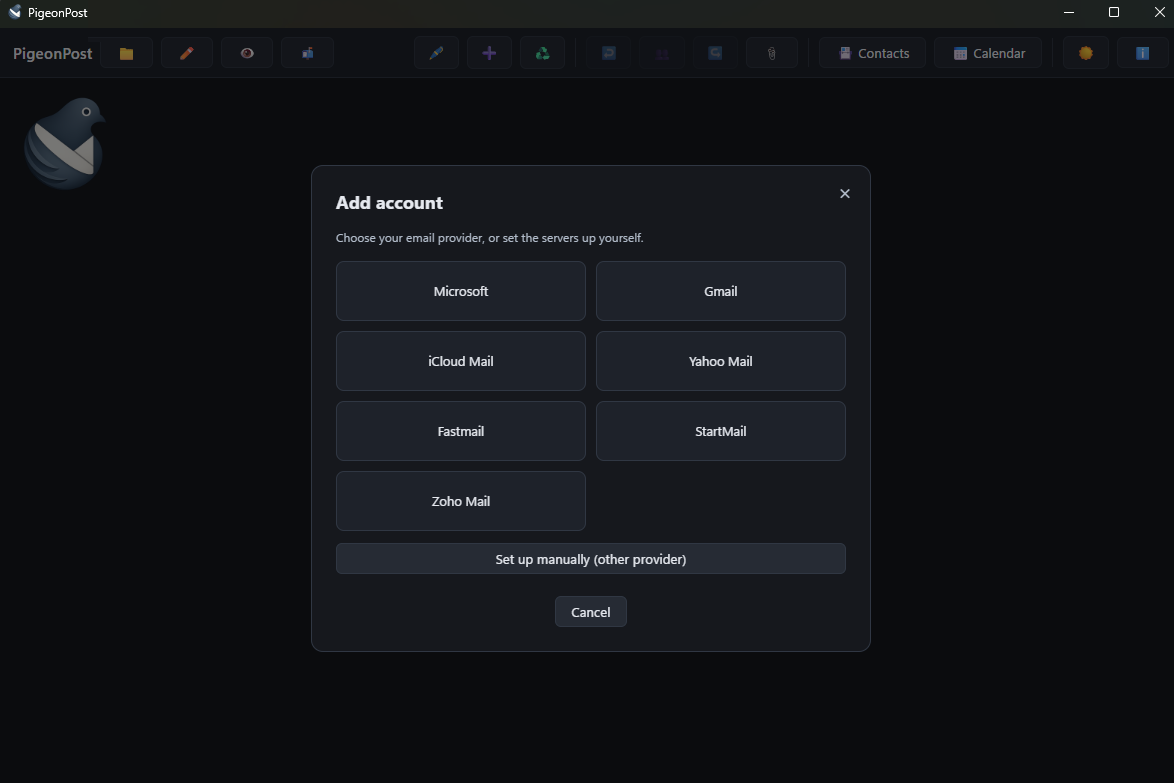
Adding an account, over the main window. The same toolbar carries mail, contacts and calendar.
Who it is for and who it is not
Honest fit, so the right person trials it and the wrong person is not misled.
For you if
- You use IMAP or POP3, whether that is self-hosted, your ISP, Fastmail or a corporate server
- You use Gmail, iCloud, Yahoo, Zoho, Fastmail or StartMail and can add an app password
- You use a Microsoft account (Outlook.com, Hotmail, Live or Microsoft 365) through Microsoft sign-in
Not for you if
- You only ever want webmail with no desktop install
- You have a Google Workspace work or school account, which is OAuth-only so an app password will not work
Find your question
The detail lives on three focused pages instead of one long scroll.
Switching
Why the switch is not a one-way door: nothing to migrate, nothing to unwind and every worry answered plainly.
Features
Everything included: mail, calendar and contacts, instant offline search and a look inside the everyday windows.
Why
Why this exists, how it is engineered, an honest comparison with Thunderbird and Outlook and the calm promise.
Nothing moves that you cannot move back
Download the build for your platform, point it at your account and see how it feels. Your mail stays with your provider the whole time. If it is not for you, it was never anywhere else.
Supporting PigeonPost
PigeonPost is free and stays free. There is no paid tier, no licence key and no feature held back behind a donation. If it has replaced something you were paying for or simply saved you an afternoon, a contribution supports its maintenance and continued development. The same link sits at the foot of the app's own window.
 Donate